Use custom hints when the built-in hiding places do not match your home, classroom, yard, or event space.
Steps
- Open Settings.
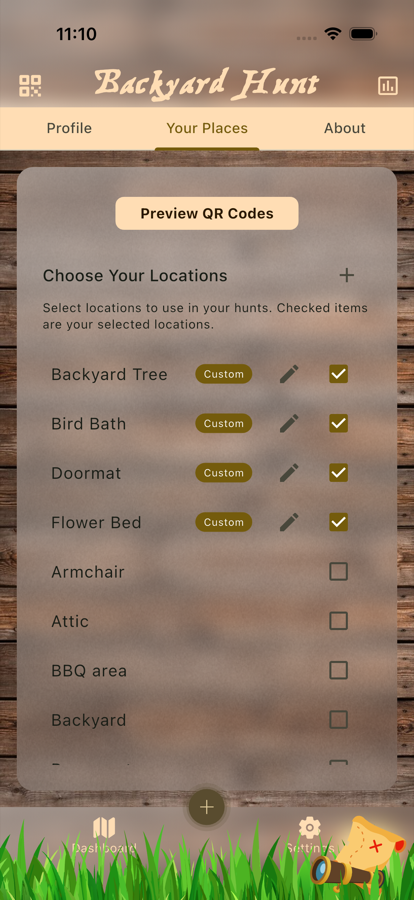
- Go to Locations / Hints.
- Tap the option to add a new custom location.
- Enter a short location name.
- Write the hint players should see.
- Save the custom hint.
- Enable the custom location if it should be available during hunt creation.
- Create or edit a Treasure Hunt and use the custom hint in a clue.
Good Hint Examples
- Use a hint that points to a real object players can identify.
- Keep the hint short for young players.
- Use riddles or indirect wording for older players.
- Avoid hints that point to unsafe or private areas.
Review Checklist
- The location name is easy for the organizer to recognize.
- The hint makes sense to players.
- The custom location is enabled.
- The hint appears in the Treasure Hunt clue where you expect it.