Use a Scavenger Hunt when players can find clues in any order. This works well for parties, classrooms, parks, and open play areas.
When to Use This
- Players will search freely instead of following a path.
- QR codes do not need to represent fixed locations.
- You want several tasks available at once.
- Multiple players or teams will explore the same area.
Steps
- Go to My Hunts.
- Tap Create New Hunt.
- Choose Scavenger Hunt.
- Name the hunt.
- Save the hunt.
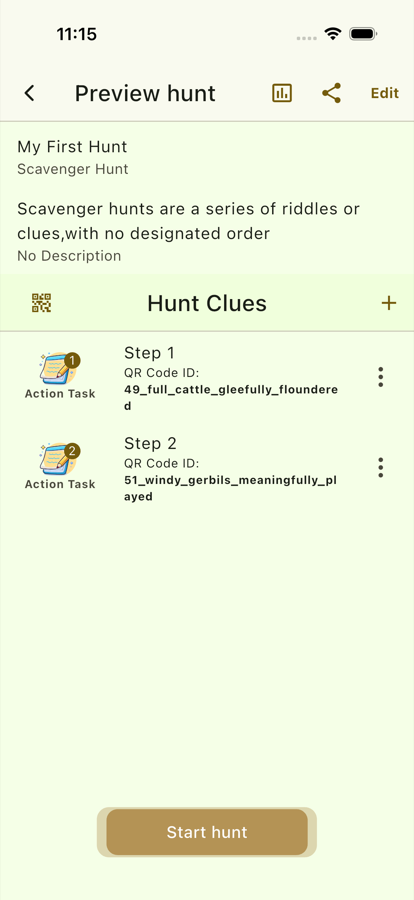
- Add one clue task for each item, challenge, or station players should complete.
- Review the clue list and remove anything you do not need.
- Generate or prepare the QR codes for the hunt.
- Place the QR codes around the play area.
- Start the game and let players find the codes in any order.
Setup Tips
- Use a clear theme so the tasks feel connected.
- Keep the number of clues realistic for the age group and time available.
- Spread QR codes far enough apart to make searching fun.
- Avoid hiding codes where players may damage property or enter unsafe areas.
Success Check
The hunt is ready when every QR code opens a task and players can complete all tasks without needing a fixed order.