Manage your account settings to personalize and secure your Backyard Hunt experience. Here's how you can update your profile, manage subscriptions, and adjust your preferences.
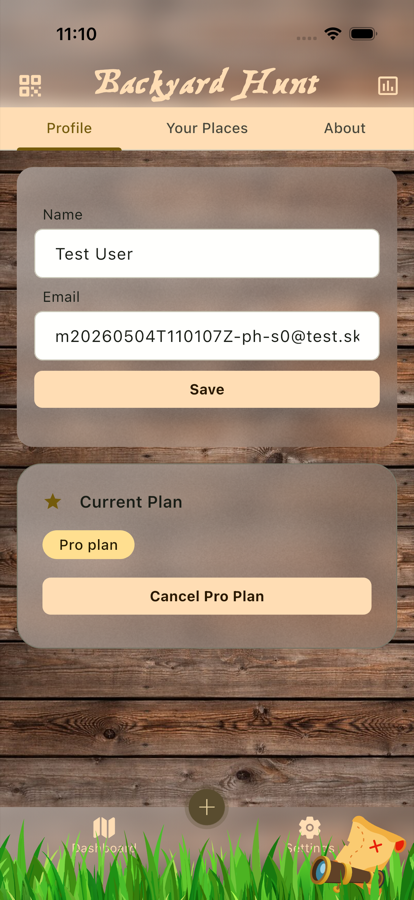
The Profile tab keeps account details, subscription actions, and sign-out controls in one place.
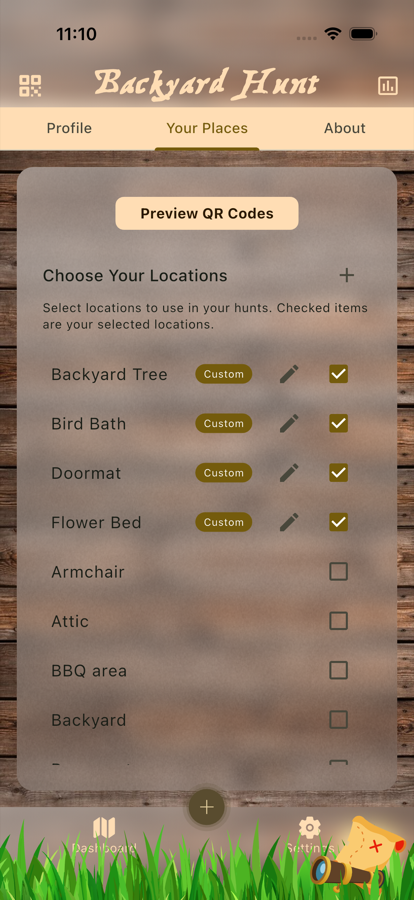
The Locations/Hints tab controls which hiding places can be used when building treasure hunts.
Profile
In the Profile tab, you can manage your personal information and subscription details:
- Change Name: Update your name in the profile settings to reflect how you'd like to be identified within the app.
- Current Plan: View your current subscription plan details.
- Subscribe or Cancel Subscription: Easily manage your subscription through the account settings. Choose to subscribe to unlock premium features or cancel your existing subscription according to your needs.
Locations / Hints
The Locations/Hints tab allows you to customize the game settings for a more personalized experience:
- Select Locations: Choose from both global locations and your custom locations for use in hunts.
- Create Custom Locations: Add your own personalized location hints tailored to your specific environment.
- Edit Custom Locations: Modify your custom location hints at any time with the rich text editor.
- Auto-Select Locations: Enable Backyard Hunt to automatically select and use these locations during hunt creation.
Creating Custom Location Hints
You can create personalized location hints that perfectly match your home, yard, or hunting area:
- Add New Location: Tap the "+" button to create a new custom location
- Enter Location Details: Provide a descriptive name and detailed hint description
- Rich Text Formatting: Use the built-in editor to format your hints with emphasis, lists, and styling
- Save and Use: Your custom locations become immediately available for selection in hunts
Custom locations are marked with a "Custom" label and take priority over global locations with the same name, giving you complete control over your hunt experience.
About / More
The About/More tab provides additional information and resources:
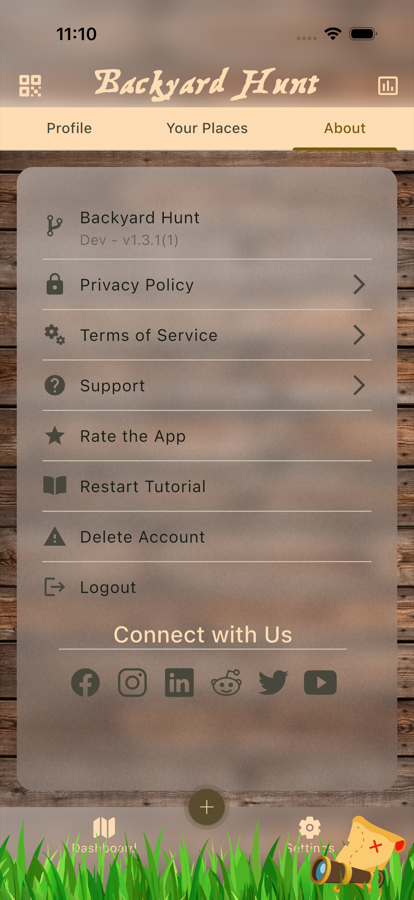
The About tab links to support, policies, version details, and account actions.
- App Information: Access important information about the app, including the current version.
- Help: Find links to help resources and support.
- Versions: View version history and updates.
- Social Links: Connect with us on our social media platforms.
- Miscellaneous: Other information that doesn't fit into the other categories.
For more information on managing your account settings, see the Gameplay and Sharing documentation.